
How to Turn Company Knowledge Into Video—Without Starting From Scratch
Your next company video may already exist. It just isn't a video yet.
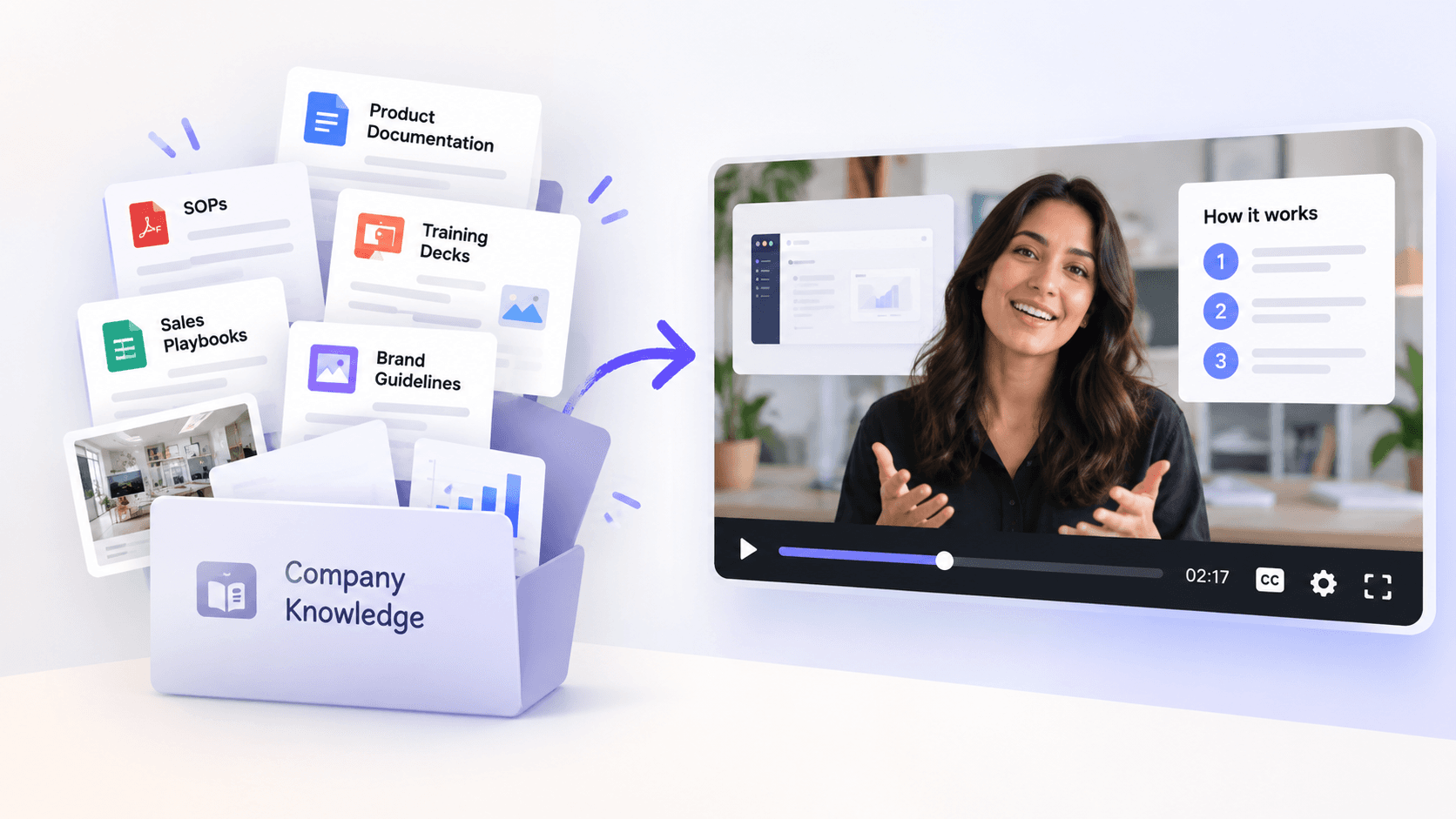
The information could be sitting in a product document, an SOP, a training deck, a sales playbook, or an internal knowledge base. Your team has already done the research, agreed on the process, and written down what people need to know.
Yet when someone says, “We need a video for this,” the process often starts again from scratch.
Someone reads the source material. Someone else writes a script. The script becomes a storyboard. Visuals are gathered. Voiceover is recorded. Then the editing starts.
It doesn't have to work that way.
You can use existing company knowledge as the starting point for video. The key is knowing what to preserve, what to leave out, and how to turn written information into something designed to be watched.
Start with what your company already knows
Company knowledge is simply the information your business has already created and uses to get work done.
That might include:
- SOPs and process documents
- Product documentation and release notes
- Training decks and learning materials
- Sales playbooks and battlecards
- Brand guidelines
- Research reports
- Internal wikis
- Help center articles
- Policies and onboarding documents
- Product screenshots, diagrams, and other company assets
All of these can become source material for video.
An SOP can become a process walkthrough. Product documentation can become a feature explainer. A training deck can become an onboarding video. A sales playbook can become an enablement video.
This saves more than writing time. It also gives the video a better starting point because the source already contains your company's facts, terminology, processes, and expertise.
But there's an important catch.
Don't turn the document into a video. Turn the knowledge into a story.
Uploading a 30-page document and reading it aloud isn't much of a video.
Documents and videos have different jobs.
Documents can be scanned, searched, reread, and referenced. Video moves forward. It needs to tell viewers what matters, in an order they can follow, while showing them enough to keep the information clear.
So turning company knowledge into video isn't a file conversion problem. It's a communication problem.
Say your product team has a detailed document explaining a new analytics feature. A customer education video probably doesn't need every technical detail.
It might need to answer four questions:
What's new? Why should I care? How does it work? What should I do next?
The product document supplies the facts. The video needs to find the story inside those facts.
That means deciding who the video is for, what they need to understand, which details matter to them, what should appear on screen, and what they should remember when the video ends.
The source contains the knowledge. It doesn't necessarily contain the story.
How to turn existing company knowledge into a video
A useful workflow doesn't begin with “write a script.” It begins with context.
Here's how to approach it.
1. Choose an authoritative source
Start with the material your team already trusts.
If you're creating an employee safety video, that might be the latest SOP. For a product launch, it could be product documentation, release notes, positioning, and approved screenshots.
Using authoritative material also reduces the chance of creating a polished video around outdated or incorrect information.
And don't assume everything has to live in one document. A useful video may need information from several sources.
2. Decide what the video needs to do
Before turning anything into scenes, answer two questions:
Who is watching? What should they know or do afterwards?
The same source material can produce very different videos.
A technical product document might become a two-minute customer explainer, a detailed internal training video, or a short sales enablement piece. The facts may be the same. The audience and purpose aren't.
Defining the video's job helps determine what stays and what gets left behind.
3. Extract what matters—not everything that's there
More source material doesn't automatically make a better video.
A good video pulls out the information needed for its specific purpose. That may include a sequence of steps, a few important facts, one example, or a problem and its solution.
This is where AI can save a lot of manual work. Instead of asking someone to read every page, collect notes, and rebuild the information as a script, the source material can provide the context from the beginning.
But the goal shouldn't be to summarize every page.
The goal is to preserve the knowledge that matters to the viewer.
4. Build the storyboard before you build the video
Once the information is clear, decide how it should unfold.
What should the opening establish? Which point comes next? What should viewers hear? What should they see while they hear it?
This is where a storyboard earns its keep.
At GaiN, for example, the storyboard breaks a video into scenes with narration, visuals, and pacing before generating the final video. That gives teams a chance to review the story and fix anything that doesn't look right before spending time on the final production.
For a process video, one scene might show a step from an SOP. For a product explainer, another might use an actual interface screenshot. Motion graphics can clarify broader concepts.
The visuals should explain the knowledge, not simply decorate the narration.
5. Add the context a document can't provide
Your source material is only one part of making the video feel like it came from your company.
Think about three kinds of context:
Context | What it includes | What it gives the video |
|---|---|---|
Company Knowledge | SOPs, Product Docs, Research, Policies | Accurate information and terminology |
Brand Context | Colors, Fonts, Logos, Guidelines | A consistent company look and feel |
Company Assets | Screenshots, Diagrams, Illustrations, Footage | Real visuals specific to your business |
Together, these make the difference between a generic video about your subject and your company's video about that subject.
GaiN, for example, lets teams bring in organisation knowledge, set their Brand Kit, and use their own screenshots, footage, and illustrations as part of the production process.
6. Review the knowledge before polishing the video
It's much easier to correct a wrong idea in a storyboard than in a finished video.
Before generating the final version, check the basics:
Are the facts correct? Is anything important missing? Does the terminology match what your company actually uses? Are the steps in the right order? Is the video appropriate for the intended audience?
For specialist subjects, the person who owns the knowledge should still have the final say.
AI can reduce the work required to turn that knowledge into a video. It shouldn't replace the person responsible for making sure the knowledge is right.
What happens when company knowledge changes?
This is where starting from existing knowledge can pay off again.
Company information rarely stays still.
Products change. Interfaces get updated. Processes evolve. New employees need training. Sales messaging changes. Policies are revised.
In a traditional video workflow, even a relatively small change can send teams back through scripts, assets, voiceover, and editing.
A better approach is to treat company knowledge as reusable production context.
When the source changes, identify what has changed in the story and update the scenes that depend on it. You shouldn't have to rethink an entire video because one part of a process or product has moved on.
And the same knowledge can often support more than one video.
A set of product documents might feed a customer explainer today, a sales enablement video next week, and an onboarding video later. Each has a different purpose, but the team doesn't have to rediscover the product every time.
Your next video doesn't need to begin with a blank page
Companies spend years building knowledge.
They document processes. Train teams. Research customers. Develop products. Write playbooks. Create diagrams. Refine their brand.
Video production shouldn't make them explain it all again.
Start with the knowledge you already trust. Decide what the viewer needs. Shape that information into a story. Give each scene a purpose. Then bring in your brand and your real company assets.
With GaiN, you can bring your existing company knowledge into the same workflow used to plan, storyboard, generate, and refine your video. Instead of rebuilding context every time, you can start with what your company already knows.
Because the fastest route to your next video may not be creating more content. It may be using the content you already have better.
Frequently Asked Questions (FAQ's)
1. Can AI turn company documents into videos?
Yes. Existing company documents such as SOPs, product documentation, training materials, sales playbooks, and internal guides can be used as source material for video. The best results don't simply copy the document word for word. They identify the information relevant to the audience, structure it into a clear story, and decide what to narrate, show, or demonstrate.
2. How do you turn an SOP into a training video?
Start with the approved SOP, identify the steps employees actually need to understand, and organize them in the order they should be performed. Then turn those steps into scenes using narration, demonstrations, screenshots, diagrams, or motion graphics where appropriate. Have the person responsible for the process review the storyboard and facts before producing the final video.
3. Can you turn a PDF, PowerPoint, or Word document into a video?
Yes. PDFs, presentations, Word documents, and similar files can all provide the source information for a video. However, document-to-video should be treated as adaptation, not direct conversion. A 30-page PDF rarely needs to become a 30-page video. The goal is to preserve the important knowledge while adapting its structure, length, visuals, and level of detail for the intended viewer.
4. How do you keep AI-generated company videos accurate and on-brand?
Use approved company materials as the source of truth and provide brand guidelines, terminology, logos, fonts, colors, screenshots, and other real company assets where possible. Review the script or storyboard before producing the final video, especially for technical, legal, compliance, or process-related content. Company knowledge determines what the video should say; brand context helps determine how it should look and sound.
5. What company knowledge can be repurposed into video?
Almost any useful company knowledge can become source material, including SOPs, product documentation, training decks, onboarding guides, policies, sales playbooks, research, release notes, help articles, and internal wikis. The better question is whether video improves how people understand that information. Processes that need demonstrating, concepts that need explaining, and information that needs to reach a large audience are particularly strong candidates for video.
Arindam M— Technical and AI Content Writer
Building the AI production layer for enterprise video.